Disconnecting an Eplan product from the Eplan License Manager
Note
If you connect your product to the Eplan License Manager, you can only use the product as long as you have a constant network connection to the Eplan License Manager.
With disruption of the network connection, termination of the Eplan product or shutting down of the computer, the license is automatically returned to the
If you want to use the Eplan product without an Internet connection, borrow the license from the License Manager for a longer period of time. Borrowing a license from the Eplan License Manager - with network connection
Preconditions:
- The computer on which the licensing is performed has a network connection.
- Eplan
License Manager (ELM Configurator) is installed on a server of your company and was activated with a Concurrent License: - Activating a Concurrent License - with Internet connection
- Activating a Concurrent License - without Internet connection
- You have the name and port number of the License Manager.
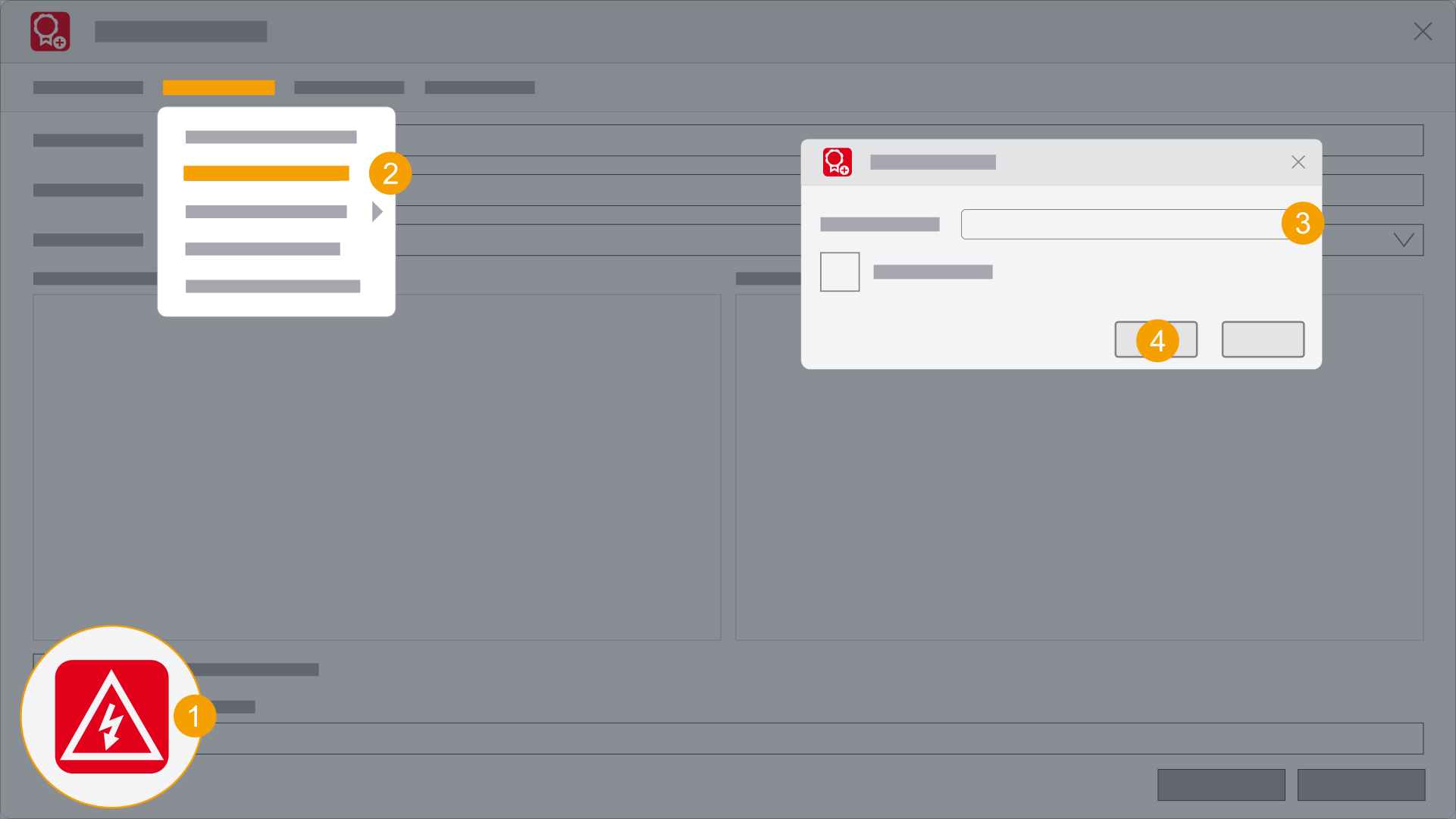
- Start the Eplan product while holding down the Shift key and double-click the program icon.
- Select the following menu items: Concurrent License > Disconnect from License Manager....
- Select the License Manager.
- Click OK.
- The Eplan product can now not be used anymore.
The Select license dialog is opened.
The Disconnect from License Manager dialog is opened and shows the current connection to the
The license was returned to the Eplan License Manager and removed from the selection.
If you want to reuse the Eplan License Manager license, you must reconnect the Eplan product to the Eplan License Manager. Connecting an Eplan product with the Eplan License Manager