Download master data to Eplan solution
This functionality is only available to you in the installed Eplan solution.
 Prerequisites: Roles and permissions
Roles
| Area | Function | Admin | Designer | User | Guest |
|---|---|---|---|---|---|
| Master Data | |||||
| Download master data | x | x | - | - |
Permissions
| Area | Function | Edit | Limited (Edit) | View |
|---|---|---|---|---|
| Master Data | ||||
| Download master data | x | - | - |
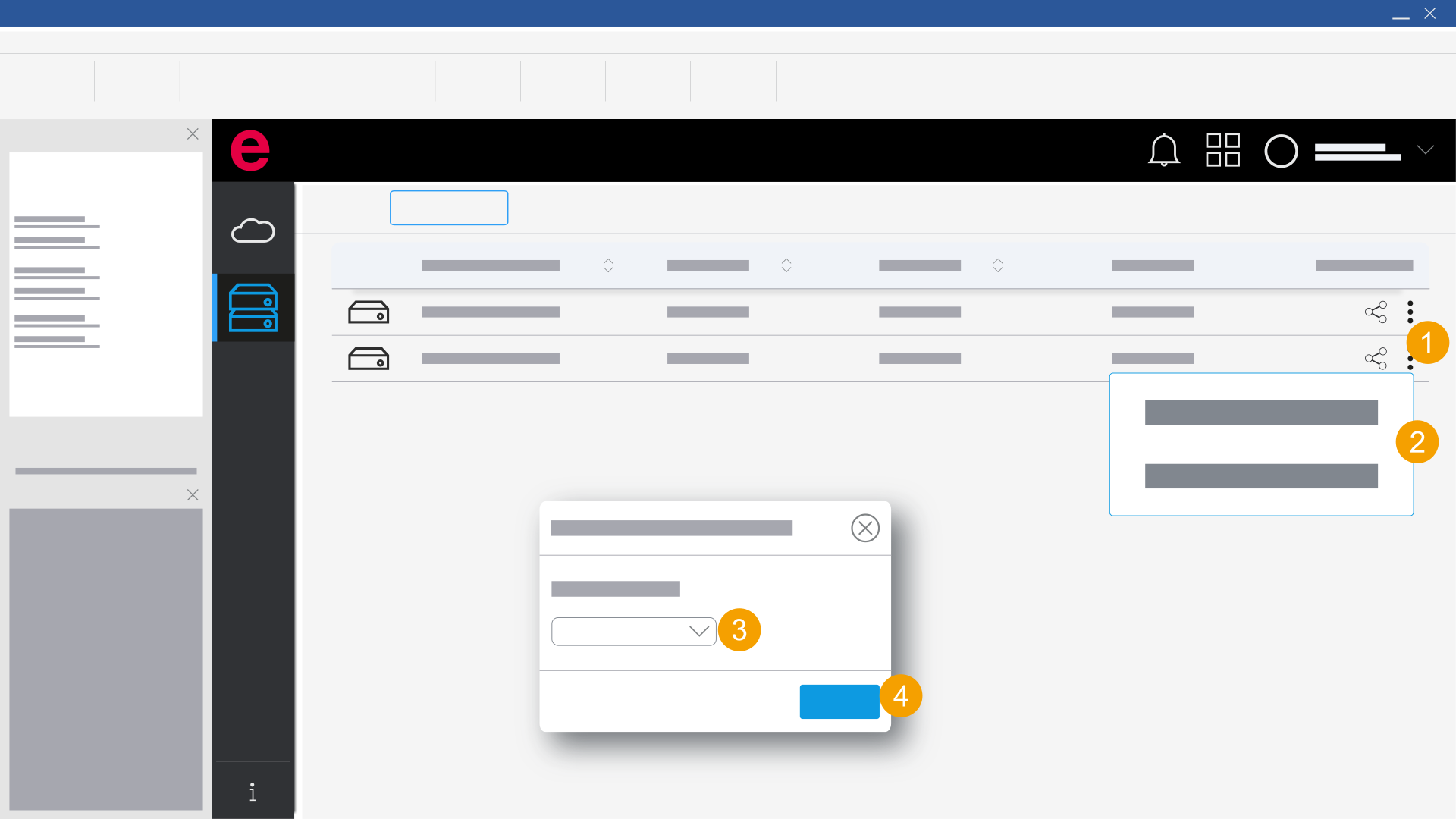
- eManage > Master data
- Click the
 icon.
icon. - Click
 Download to Eplan solution.
 - Select a master data directory.
- Click Download.
- New master data are downloaded and obsolete master data are updated.
The Download master data dialog opens.