Creating a bundle
Preconditions:
- The computer on which the Eplan product is used has a network connection to the
Eplan License Manager - Configurator . - Eplan License Manager (ELM Configurator) is installed on a server of your company and has been activated with a Concurrent License.
- Installing the Eplan License Manager
- Activating a Concurrent License - with Internet connection
- Activating a Concurrent License - without Internet connection
- As a local administrator you can access the server on which the software is to be installed or is already installed.
- This functionality is part of your license version. Eplan License Manager: Basics
Only after the activation of your Concurrent License is the standard scope of your license available in the "Bundles" and "Available systems and extensions" sections. This version depends on the Eplan licenses you have purchased. An Eplan License Manager bundle can be created as a static bundle or a variable bundle. (Bundles: Basics)
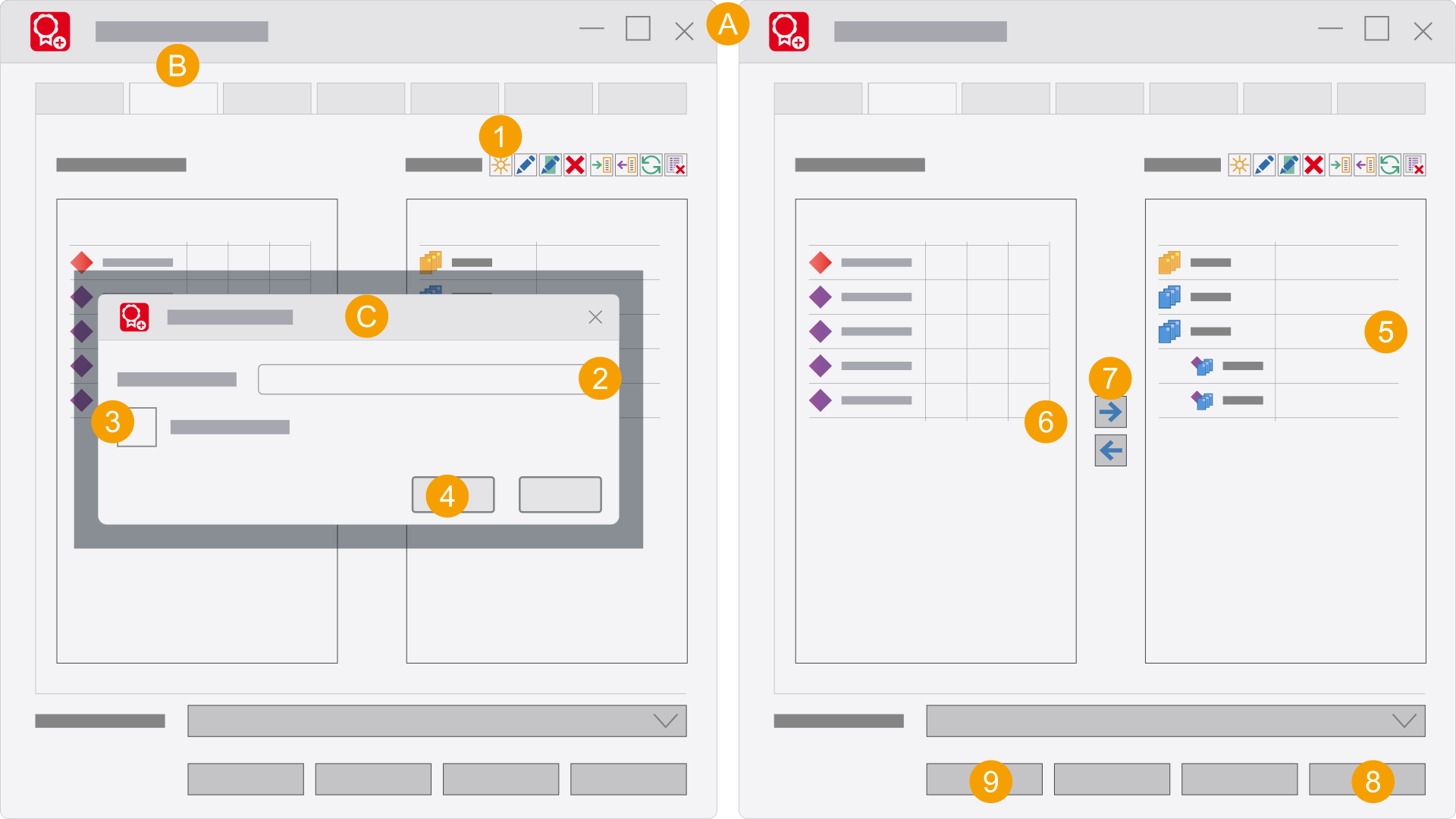
- Eplan License Manager - Configurator
- Bundles tab
- New bundle dialog
- Click the
 icon.
icon. - Enter a bundle name.
- Select whether you want to create a variable bundle.
- Click OK.
- Select the bundle.
- Select systems / extensions.
- Click the
 icon.
icon. - Click Apply.
- Click Update service.
- You have created a bundle with systems / extensions. After the Eplan License Client has connected to the License Manager, the created bundles are displayed.
The New bundle dialog opens.
Tip: You can select Serveral bundles or systems or extensions by holding down the [Ctrl] key and the [Ctrl]+[Shift] keys.