Bundles: Basics
In the Bundles tab you can define bundles for network licensing. "Bundling" of licenses allows you to group the various licenses for systems and extensions into practical, well-defined groups.
Prerequisite - License version:
| Function | Eplan License Manager (up to version 2024) | Eplan License Manager (as of version 2025) | Eplan License Manager Professional |
|---|---|---|---|
| Bundling | x | x | x |
 "Bundles" user interface
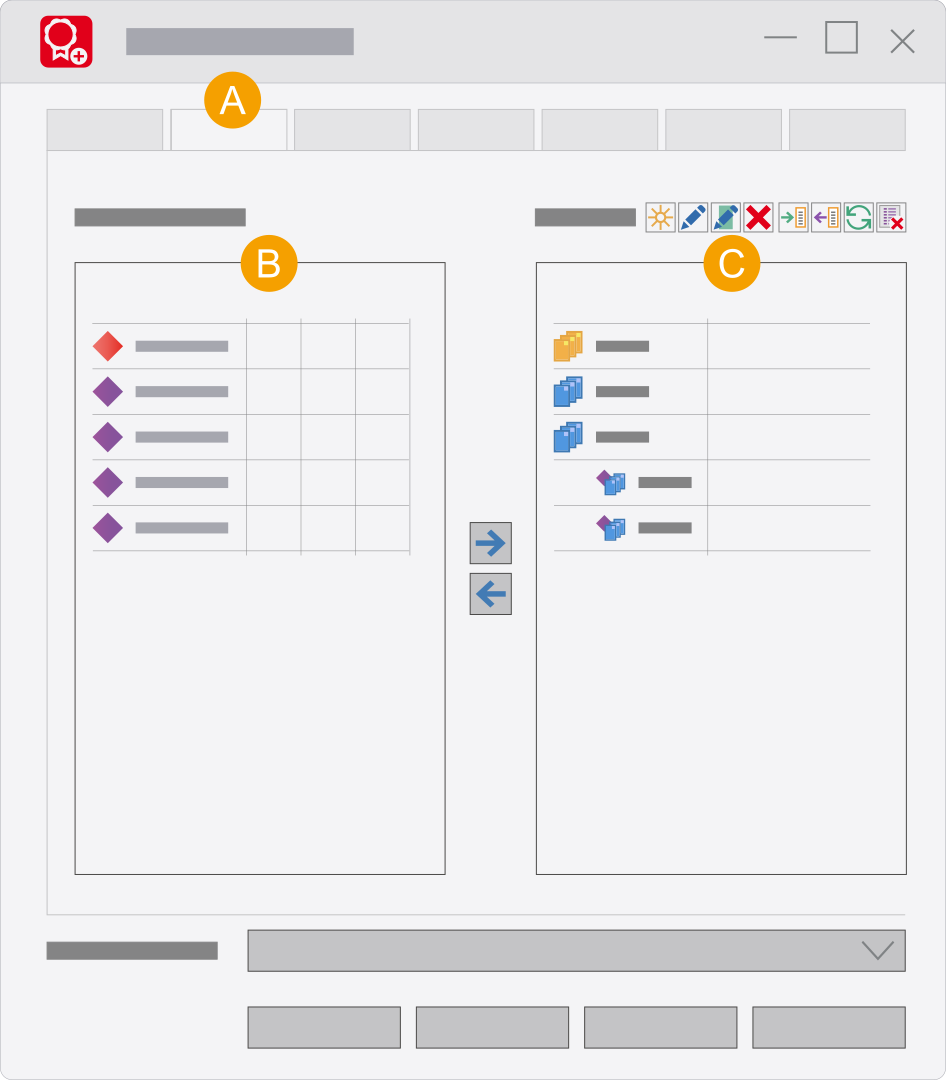
- Bundles tab: Here you define the bundles for the Concurrent License.
- All available systems and extensions are displayed here after activation of the license.
- Define the different licenses for systems and extensions to make sensible, well-structured units here.
Systems and extensions
| Icon | Meaning/function | |
|---|---|---|

|
Systems | For example "Eplan Electric P8 Professional" |

|
Extensions | For example a language (for example " |
Adding or removing systems and extensions
| Icon | Meaning/function | |
|---|---|---|

|
Move to the right | A double-click on a system / extension or a click on the button adds the marked systems or extensions to your bundle. |

|
Move to the left | A double-click on a system / extension or a click on the button reduces the assigned number of marked systems or extensions by "1". If the number is already "1", the system / extension is deleted from the bundle. |
Toolbar
The following buttons are available on the toolbar above the list of defined bundles:
| Icon | Meaning | Function |
|---|---|---|

|
New | Creates a new bundle. |

|
Edit licenses | Allows the number of licenses to be edited. |

|
Bundle properties | Makes it possible to rename a selected bundle and/or change a static bundle into a variable bundle. |

|
Delete | Deletes the selected bundle(s). Removes selected systems or extensions from a bundle. |

|
Import | Opens a dialog allowing bundle files to be imported. |

|
Export | Opens a dialog allowing the defined bundles to be exported as a bundle file (*.4elm). |

|
Update | Updates bundles with new release modules. |

|
Delete licenses | Deletes licenses (systems / modules) no longer available from a bundle. |
Popup menu
You can call up a popup menu inside the Defined bundles list which makes the following menu items available:
| Menu item | Function |
|---|---|
| New bundle | Creates a new bundle. |
| Editing bundle properties | Opens the Edit bundle properties dialog for the selected bundle. Makes it possible to rename a selected bundle and/or change a static bundle into a variable bundle. |
| Edit number of licenses | Allows the number of licenses to be edited. This menu item is not available for variable bundles. |
| Delete | Deletes the selected bundle(s). Removes selected systems or extensions from a bundle. |