Properties: Basics
You can specify the following properties and carry out the following actions in the Properties tab. The scope of the software user interface depends on the licensed add-ons:
 "Properties" user interface
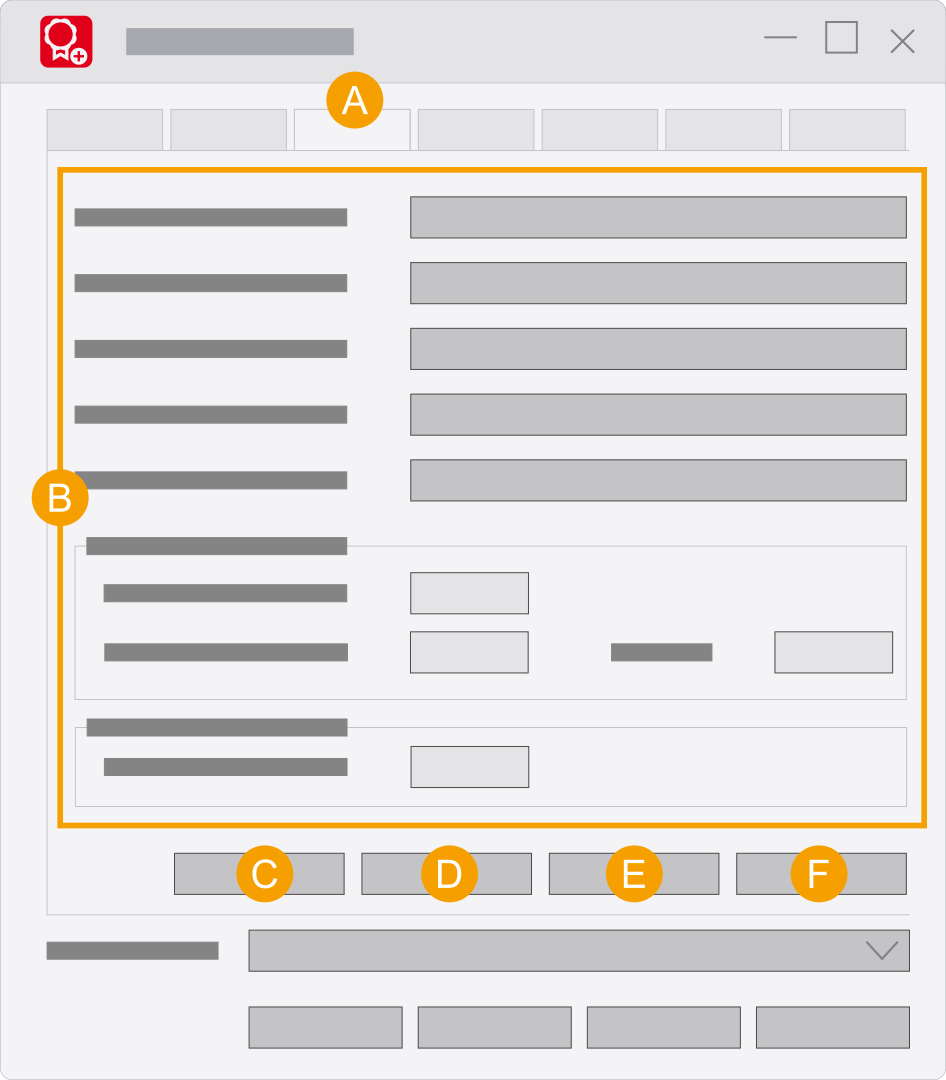
- Properties tab: Here you can define properties and carry out actions. Please note that the scope is coupled to your license.
- Here you see the basic properties.
- Create report: This functionality allows you to evaluate the "
*.rlog " log files that are created by the event log. Creating a report - Borrow: This button is used to create an offline license file. This will require a request file, created on the client computer. The request file is read into the Borrow license dialog.
- Change password: Use this button to specify a password for the Eplan License Manager - Configurator. The password protects the program from unauthorized access. (Setting or changing the password)
- Monitor: Use this button to open the
Eplan License Manager - Monitor . Here you can display the current license status. In addition you can check the status of the "Standby License Manager".
"Properties" settings
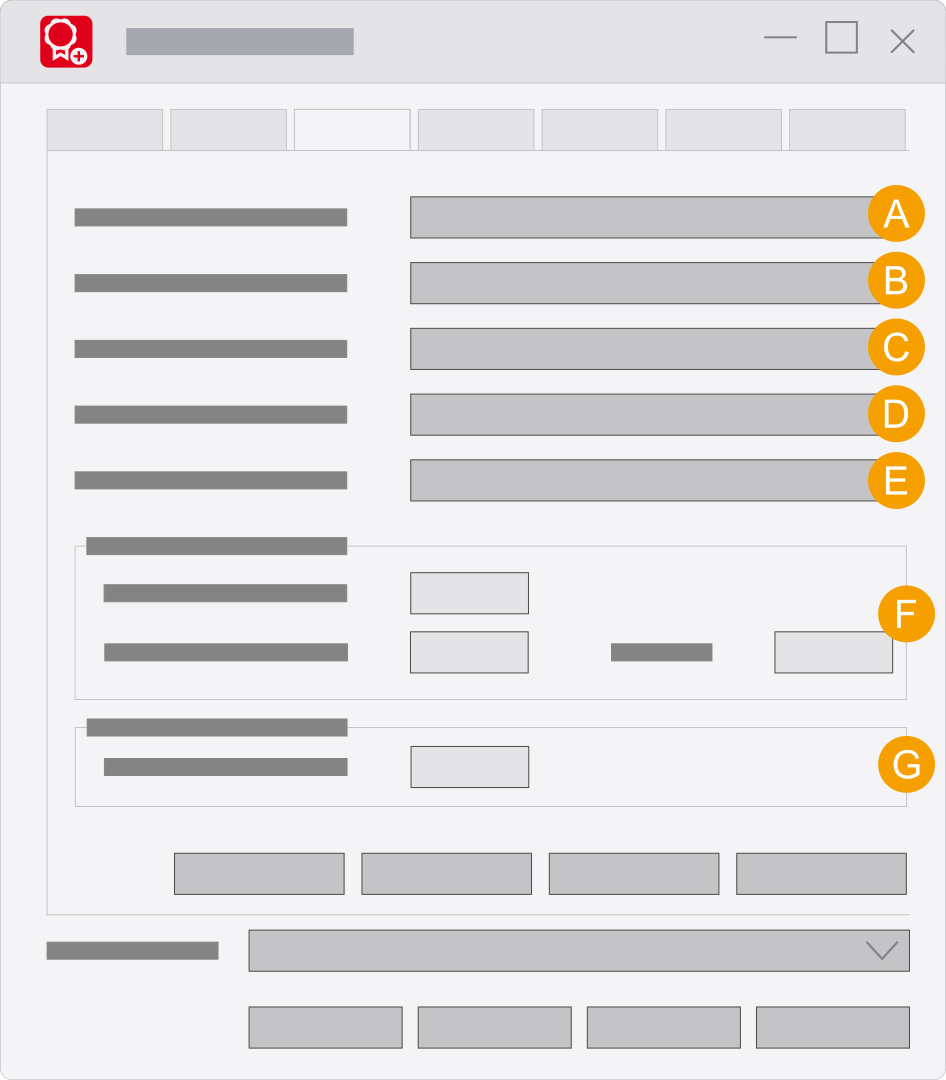
- Maximum number of computers allowed: This field displays how many computers can simultaneously access the Eplan License Manager.
- Maximum number of computers entitled to borrow: This field displays how many computers can borrow licenses at the same time.
- Maximum borrowing period (days): This field shows how long you can borrow a license from the Eplan License Manager.
- Cross-domain usage: If you want to use the Eplan License Manager across domains, this license has to be procured as well.
- License expiration date: If your license has an expiration date, it is displayed here.
- Connections: Specify the connection type and the port here.
- Monitoring interval: When the time intervals specified in the Timeout for license user response field has expired (for example due to a program interruption), the previously stored license is released again by the Eplan License Manager and is thus available to a different user. Depending on the last license user feedback the interval of a timeout can amount to up to eight minutes.
User interface (up to Version 2025)
"Properties" user interface (up to Version 2025)
- Properties tab: Here you can define properties and carry out actions. Please note that the scope is coupled to your license.
- Here you see the basic properties.
- Create report: This functionality allows you to evaluate the log files
*.rlog that are created by the event log.Creating a report - Borrow: This button is used to create an offline license file. This will require a request file, created on the client computer. The request file is read into the Borrow license dialog.
- Change password: Use this button to specify a password for the Eplan License Manager - Configurator. The password protects the program from unauthorized access. (Setting or changing the password)
- Monitor: Use this button to open the
Eplan License Manager - Monitor . Here you can display the current license status. In addition you can check the status of the "Standby License Manager". (Installing the Monitor)
"Properties" settings (up to Version 2025)
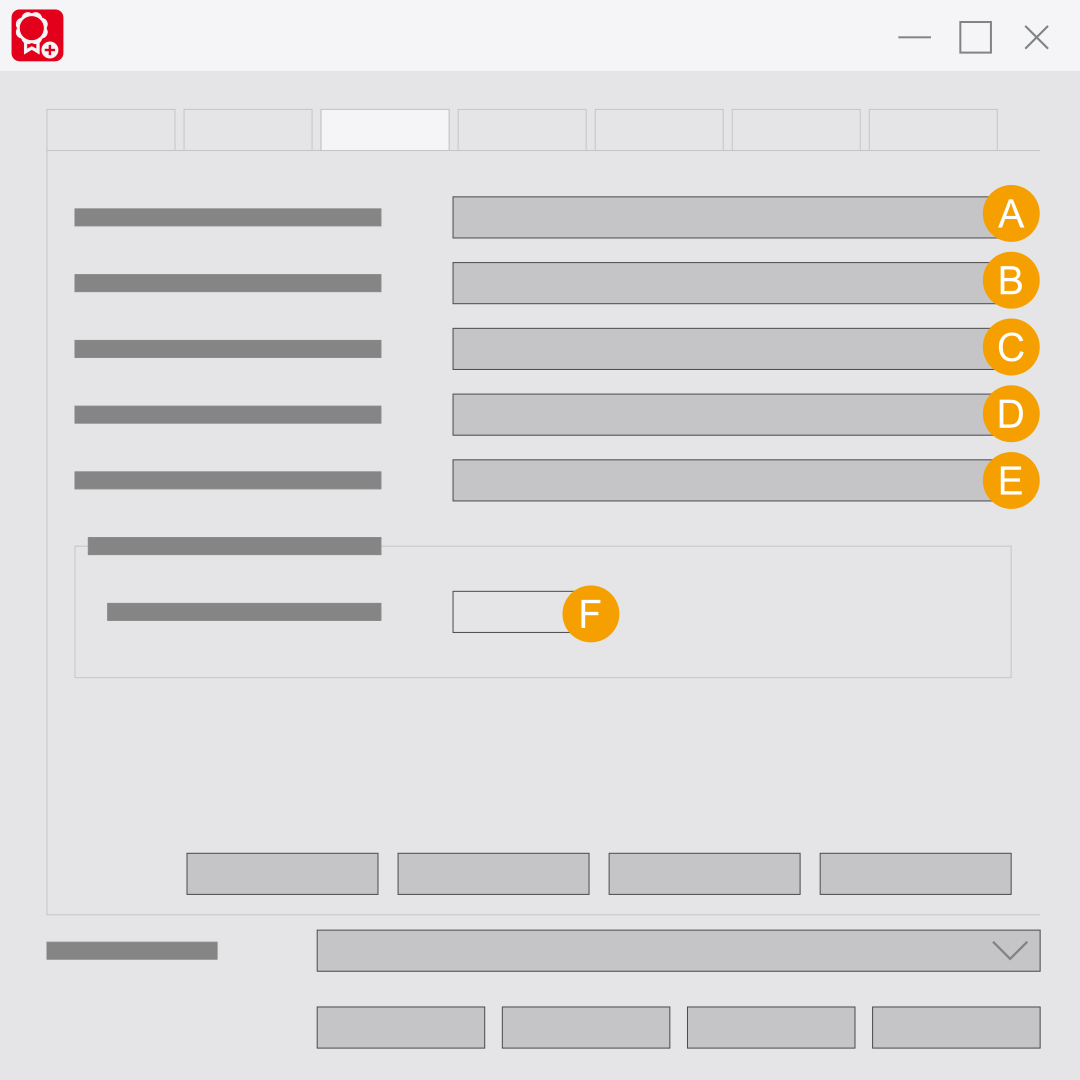
- Maximum number of computers allowed: This field displays how many computers can simultaneously access the Eplan License Manager.
- Maximum number of computers entitled to borrow: This field displays how many computers can borrow licenses at the same time.
- Maximum borrowing period (days): This field shows how long you can borrow a license from the Eplan License Manager.
- Cross-domain usage: If you want to use the Eplan License Manager across domains, this license has to be procured as well.
- License expiration date: If your license has an expiration date, it is displayed here.
- Monitoring interval: When the time intervals specified in the Timeout for license user response field has expired (for example due to a program interruption), the previously stored license is released again by the Eplan License Manager and is thus available to a different user. Depending on the last license user feedback the interval of a timeout can amount to up to eight minutes.